Distribution ERP for PakistanA product of ZaptechAI Pvt Ltd

Distribution management for Pakistan

Run sales, stock and recovery on one distribution system.

RANGE 360 helps Pakistani distributors connect territories, outlets, field teams, orders, inventory, recovery, finance and reporting, so every result can be traced to the work behind it.
  • Built for Pakistan distribution
  • Multi-location
  • Role-scoped
  • Web platform
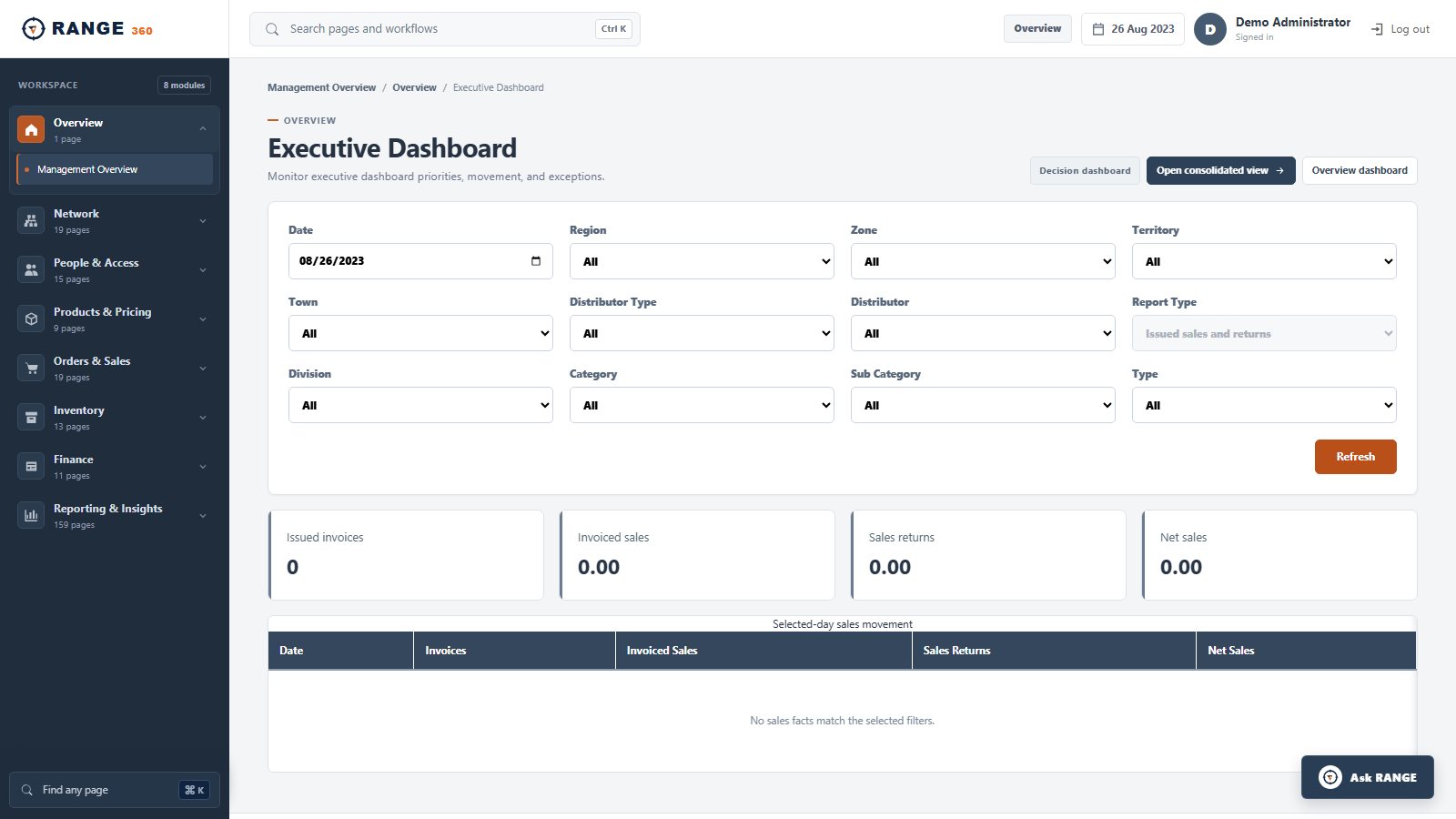
RANGE 360 Executive Dashboard with business-scope filters and daily sales metrics
Executive DashboardStart with the permitted business scope, then review daily sales and return movement.Real product screen · seeded demo data
One connected operating dayConfigureSellMove stockRecoverReport

The working product

See the screens your teams use to run the operation.

These are real captures from the modern RANGE 360 application using seeded demonstration data, not design concepts. Open any screen at full size.
RANGE 360 Executive Dashboard with business-scope filters and daily sales metrics
Executive DashboardStart with the permitted business scope, then review daily sales and return movement.Real product screen · seeded demo data
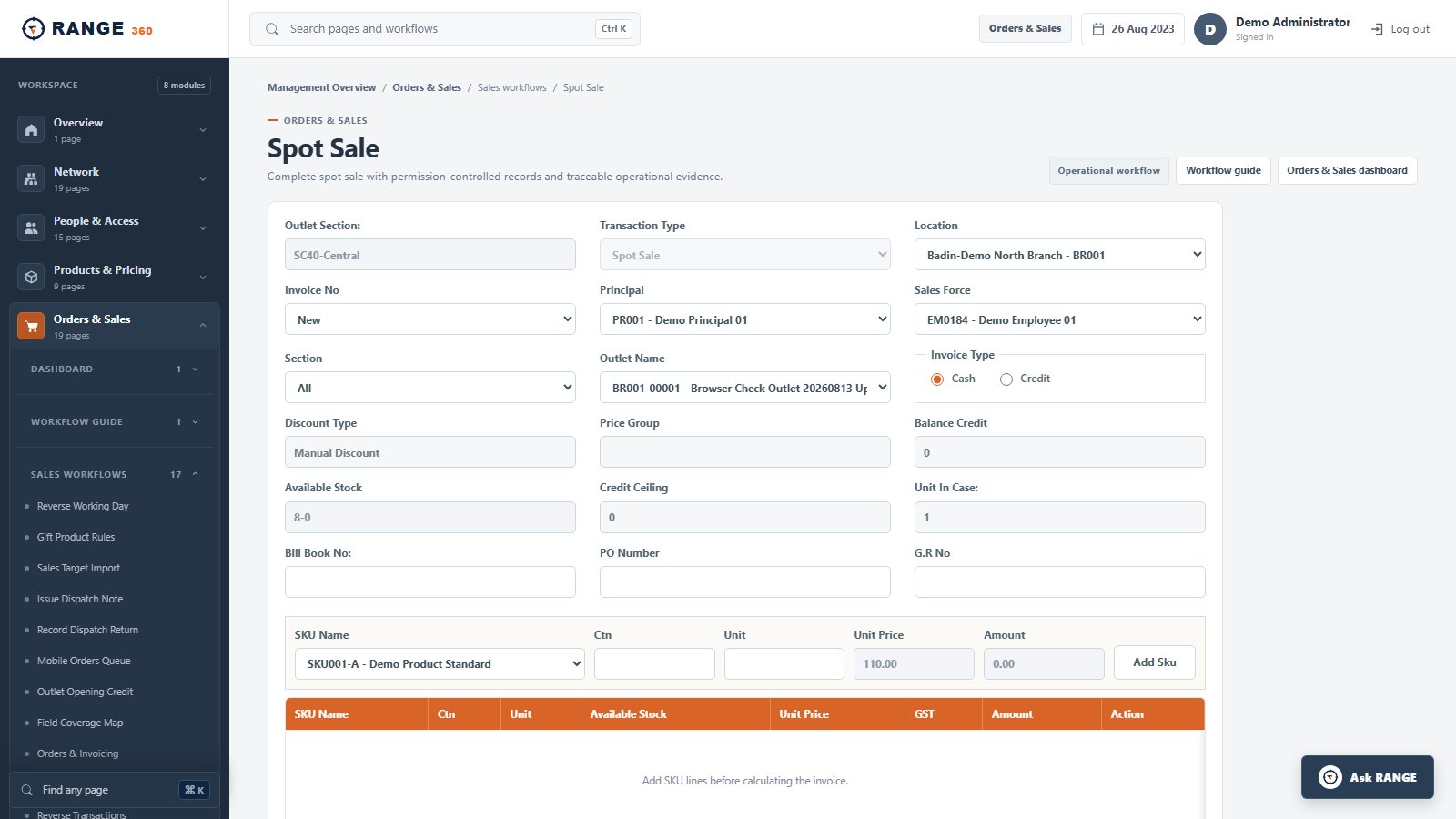
RANGE 360 Spot Sale screen with outlet, salesperson, product, price and stock context
Spot SaleKeep the outlet, responsible employee, SKU, price, stock and payment context together.Real product screen · seeded demo data
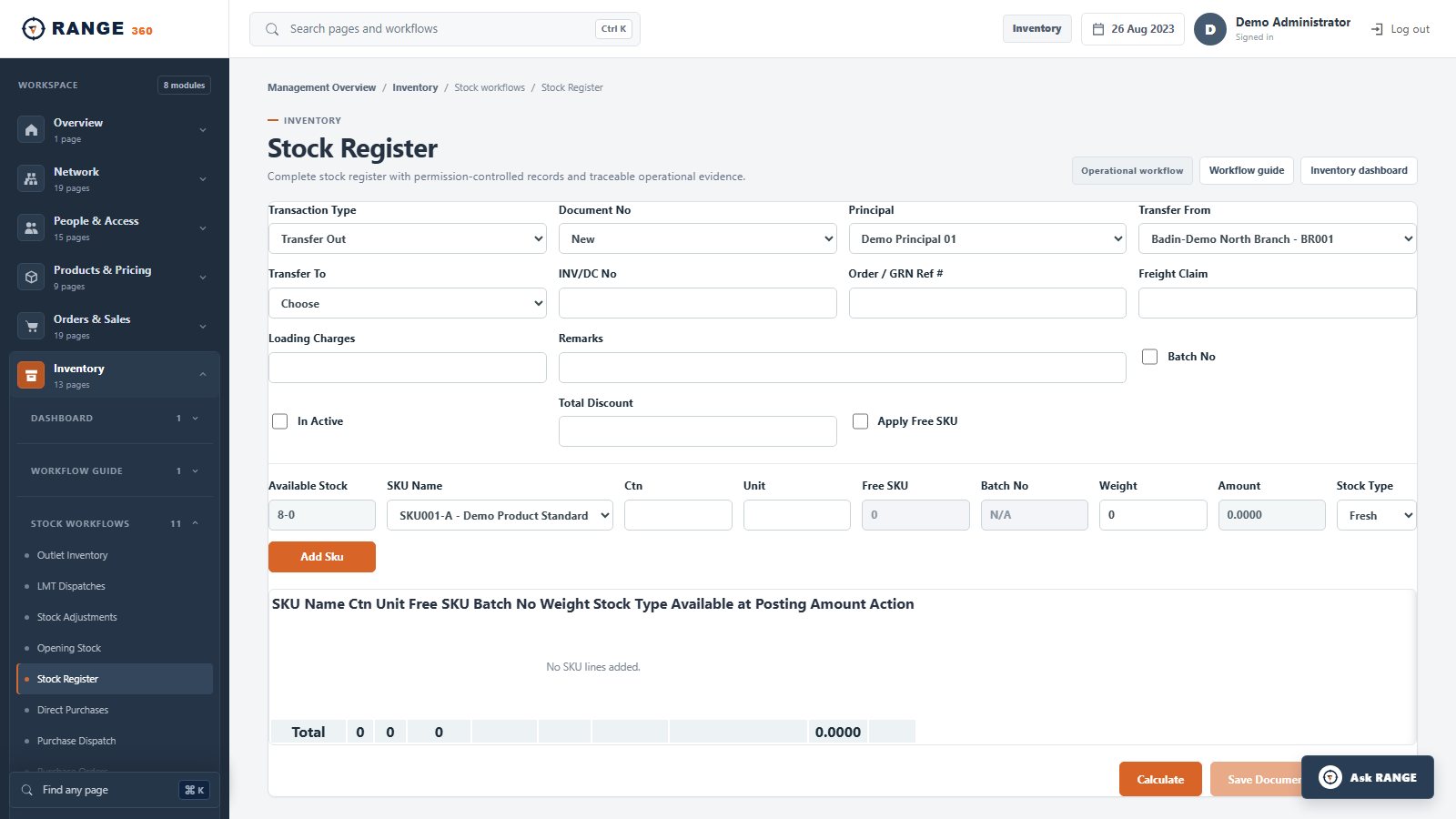
RANGE 360 Stock Register screen for a location-scoped inventory movement
Stock RegisterRecord why stock moved, between which locations, and against which document.Real product screen · seeded demo data
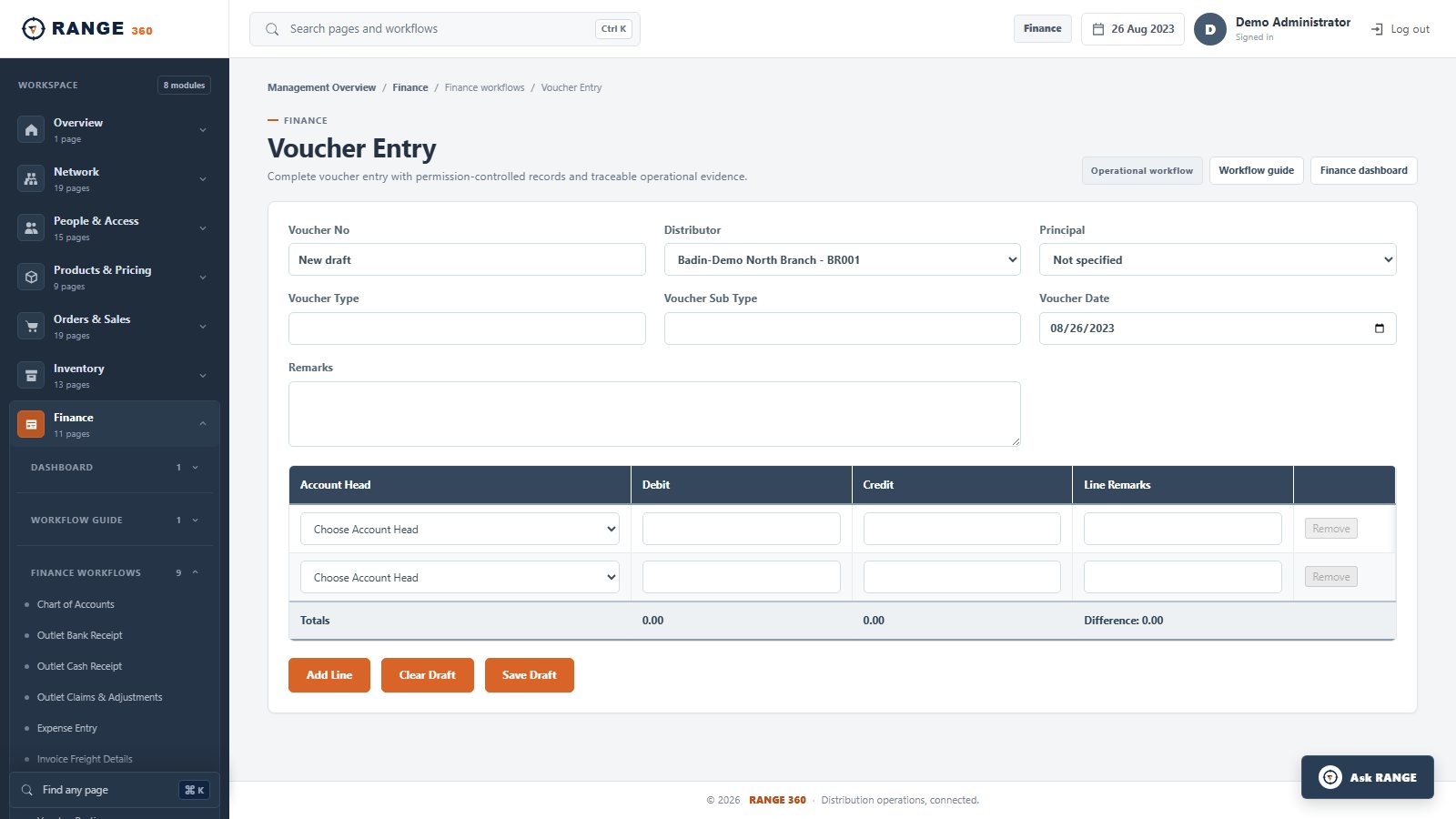
RANGE 360 Voucher Entry screen with balanced debit and credit lines
Voucher EntryCapture controlled finance entries with distributor context and balanced lines.Real product screen · seeded demo data
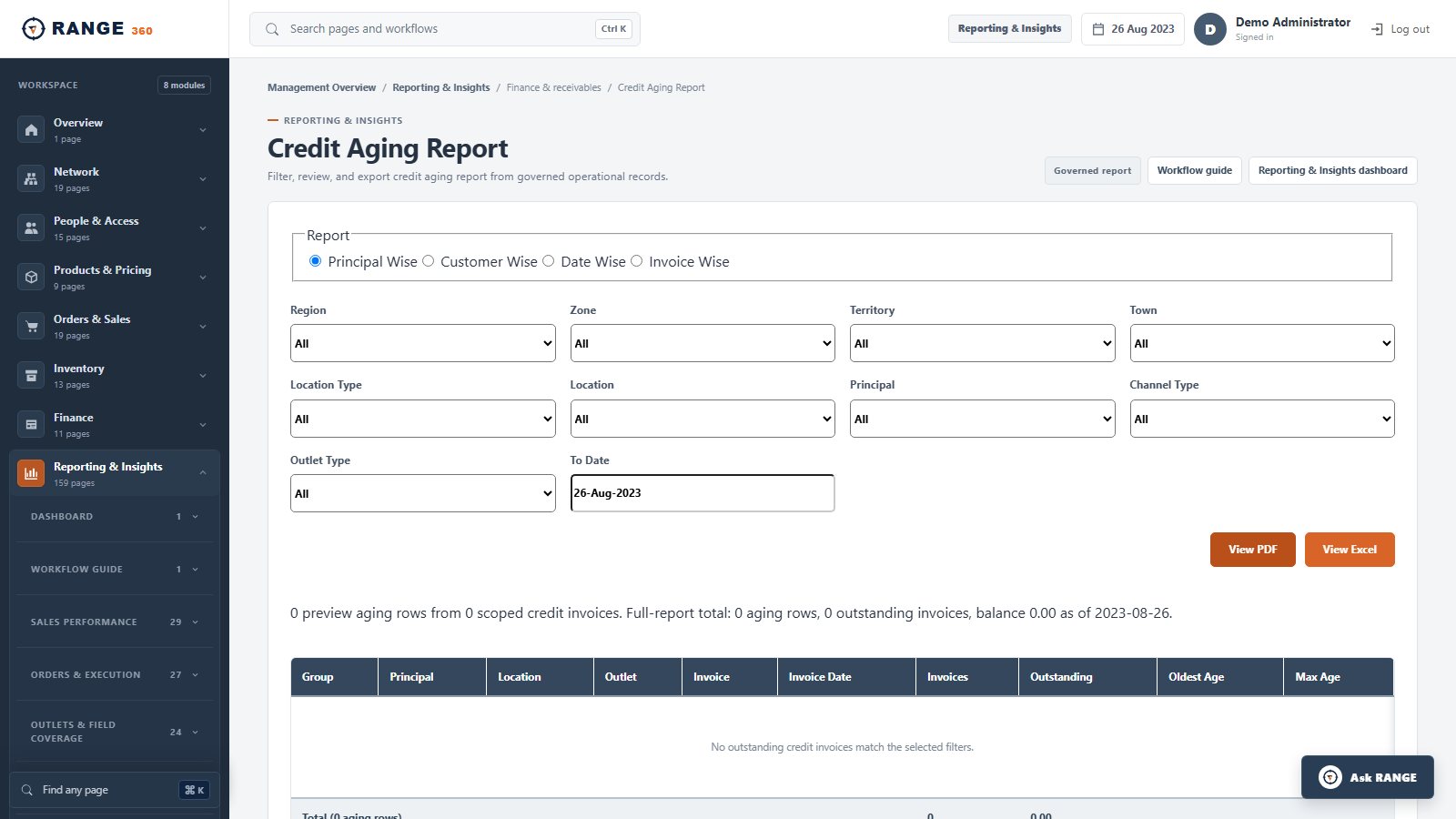
RANGE 360 Credit Aging Report with geography, distributor, principal and outlet filters
Credit Aging ReportReview outstanding credit at the business scope and grouping the finance team needs.Real product screen · seeded demo data
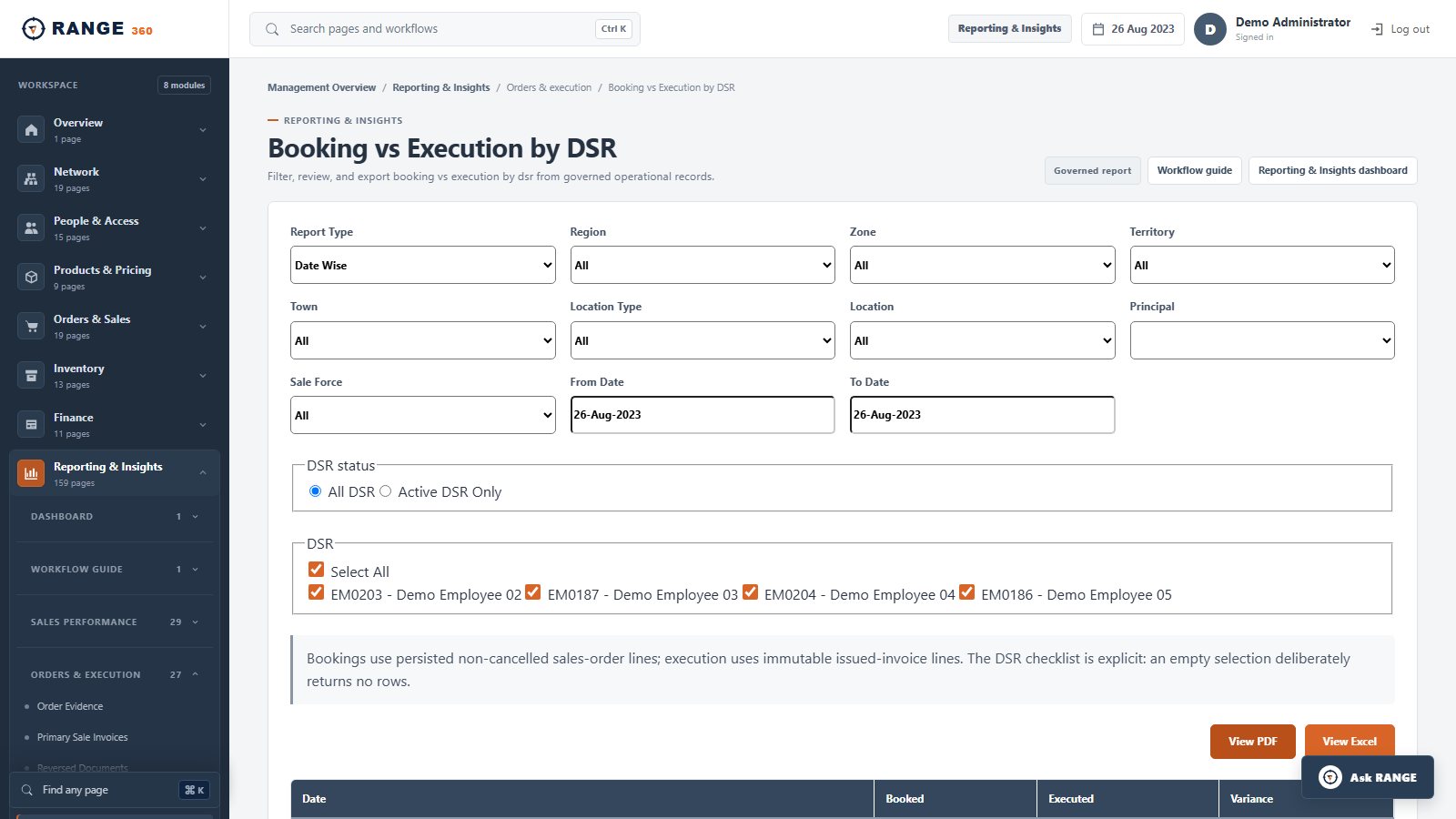
RANGE 360 Booking versus Execution by DSR report with field-team and period filters
Booking vs Execution by DSRSeparate booked demand from executed sales and retain field responsibility.Real product screen · seeded demo data

The RANGE 360 control loop

Connect setup, execution, reconciliation and review.

A sale is only one part of the record. RANGE 360 keeps the operating context around it so commercial, warehouse, finance and management teams can follow the same facts.

  1. 01ConfigureBusiness, locations, territories, outlets, products and roles
  2. 02ExecuteJourneys, orders, invoices, returns and field responsibility
  3. 03Control stockPurchasing, dispatch, GRN, transfer, count and adjustment
  4. 04RecoverReceipts, credit aging, vouchers, schemes and claims
  5. 05ReviewSales, productivity, stock, recovery and finance reporting

Choose the workflow you own

One platform, three everyday control questions.

Commercial

Was demand converted into executed sales?

Connect outlet coverage, field responsibility, prices, orders, invoices, returns and targets.

  • Booking versus execution
  • Outlet and SKU context
  • Field accountability
Explore sales control →
Operations

What changed the stock position?

Trace purchasing, dispatch, receipt, transfer, physical count and adjustment across locations.

  • PO to dispatch to GRN
  • Location-scoped stock
  • Reconciliation and cover
Explore inventory control →
Finance

What remains outstanding, and why?

Keep receipts, balances, aging, vouchers, schemes and claims close to the work that created them.

  • Recovery and customer credit
  • Balanced finance entries
  • Traceable settlement
Explore finance and recovery →

Evaluate with your own evidence

Bring one handoff that is hard to reconcile today.

We will map the people, records, rules and expected result, show the relevant implemented workflow, and document any gap before a proposal.

ProductFollow the operating daySee six implemented screens in sequence.RolloutDefine the acceptance gatePlan scope, pilot and responsibilities.AssessmentFind the weakest handoffAnswer twelve questions in your browser.

Frequently asked

Questions operators ask before a walkthrough.

What is RANGE 360?

RANGE 360 is distribution operations software that connects sales, inventory, outlet execution, finance, controls and reporting in one web platform.

Which businesses is RANGE 360 designed for?

RANGE 360 is designed for distributors, wholesalers and packaged-goods businesses, including FMCG, pharmaceutical and cosmetics distribution networks.

Can RANGE 360 support multiple locations and distributors?

Yes. RANGE 360 is designed around multi-location operations, distributor assignments, geographic hierarchies and scoped user access.

Does RANGE 360 replace accounting software?

RANGE 360 includes operational accounting workflows such as vouchers, receipts, ledgers, trial balance and financial reports. The right implementation depends on your finance and integration requirements.

How do we evaluate RANGE 360?

Book a requirements walkthrough. We will map your locations, users, products, sales process, inventory controls and reporting needs before proposing an implementation.

Bring one real workflow

Follow it from source record to management result.